
This article is valid for Smart ID 20.06 and later.
Identity Manager Admin is the configuration tool in Smart ID Identity Manager, in which the data model, BPMN processes, elements of the user interface, data sources, permissions and much more are configured. The configuration determines the functionality of Identity Manager Operator.
Identity Manager Admin user interface is executed in up-to-date HTML5 web browsers, see Identity Manager requirements and interoperability.
In Identity Manager Admin, the system configurator can, for example:
-
Define workflows for identities, ID production or other processes and their lifecycle management with BPMN 2.0 (Business Process Model and Notation).
-
Design web forms for different entities and their different states.
-
Handle user rights and role management.
-
Create templates for queries, reports, filters and statistics.
See also Configure Smart ID Identity Manager.
Example tasks in Identity Manager Admin
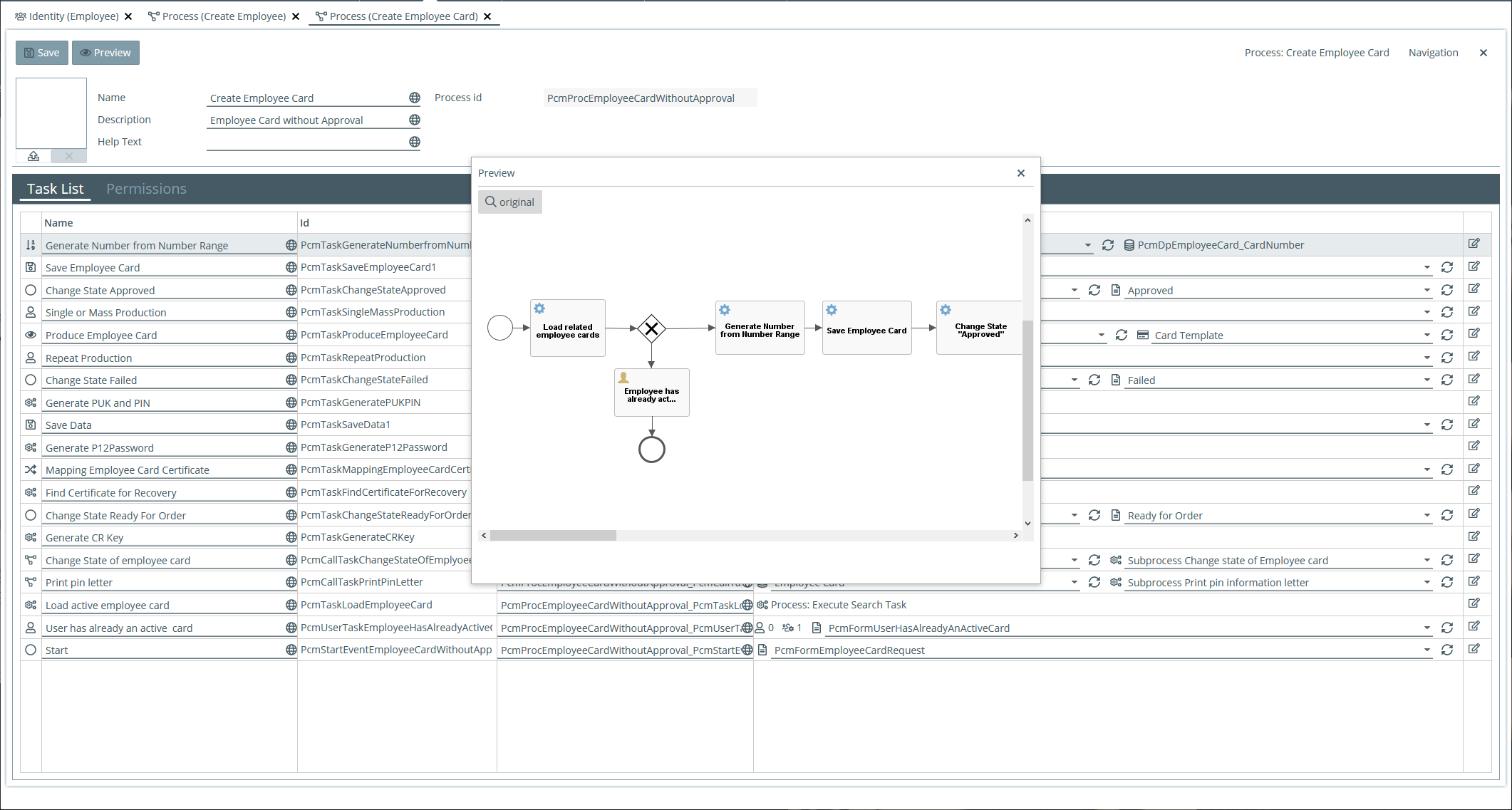
The following screen shots show a few examples of what you can configure in Identity Manager Admin.
Upload and configure BPMN processes
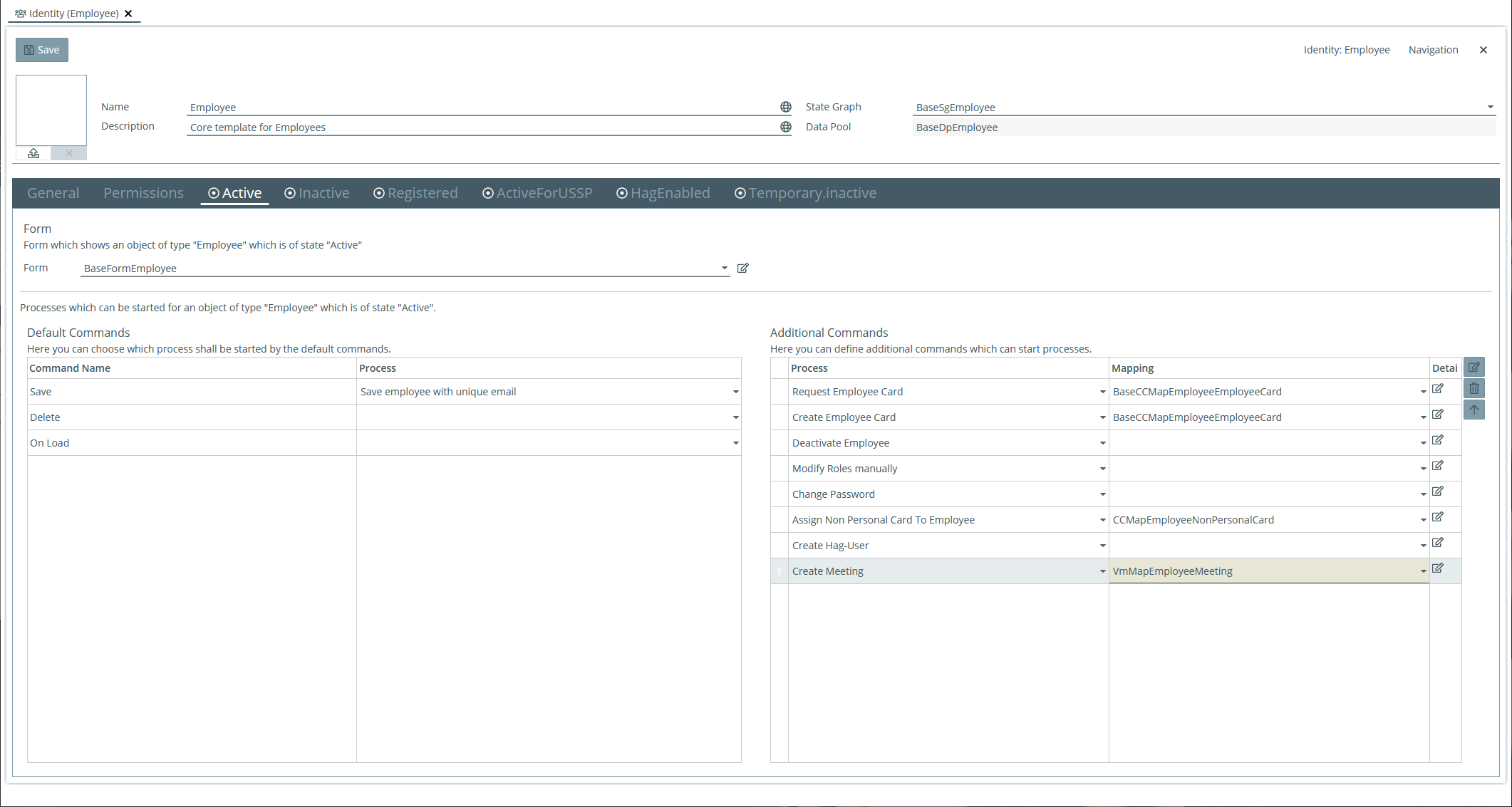
Configure identity templates
Here you can define how identities of a special type may be handled concerning creation, lifecycle states, forms to display data in Identity Manager Operator, processes to execute, permissions, etc.
Nexus Card SDK
For the following client-side functions in Identity Manager Admin, Nexus Card SDK must be installed on the user's client PC:
-
Create or modify card layouts