
This article explains how to use the hosted Simple Hermod Tool, available at https://ext-cod1.test.nexusgroup.com:20490
Use the tool to generate API keys, generate attestation keys, list profiles for a user, delete individual profiles, or delete a user.
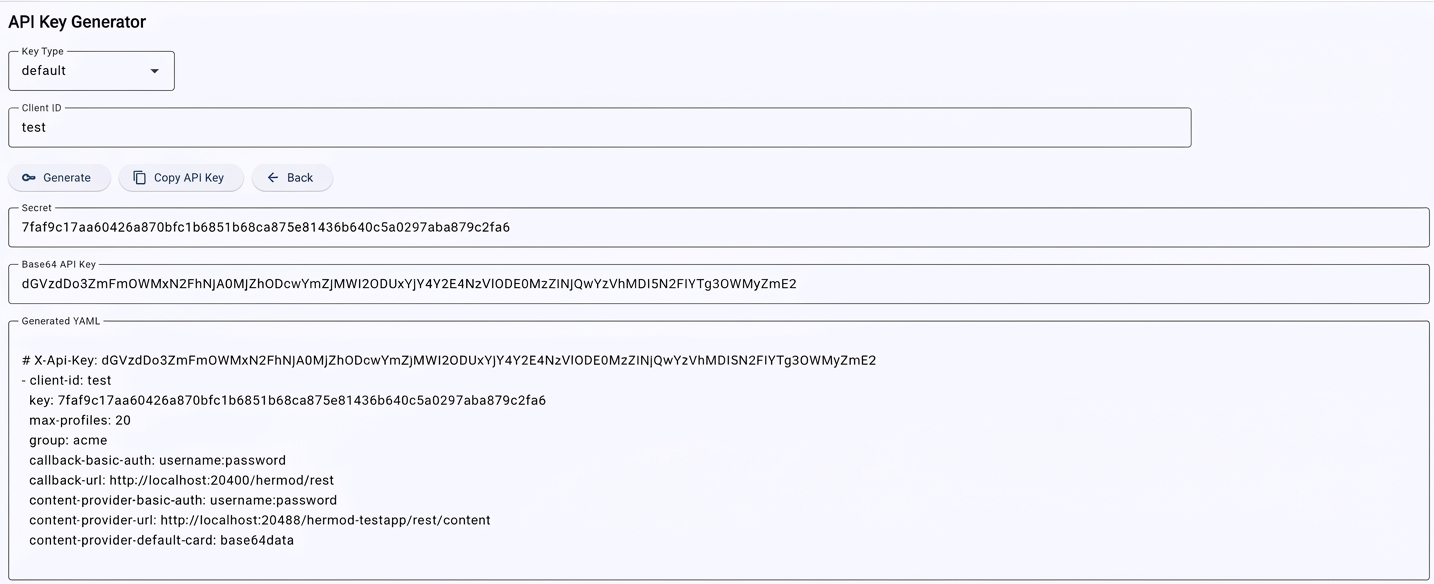
Generate an API key
-
Open the Simple Hermod Tool at
https://ext-cod1.test.nexusgroup.com:20490 -
Select API Key Generator.
-
Choose the appropriate key type:
-
For a client key, select default.
-
For a Nextvsc key, select nextvsc.
-
-
Enter the client ID.
-
Click Generate.
-
Copy the generated API key and add it to the Hermod configuration file.
Example:
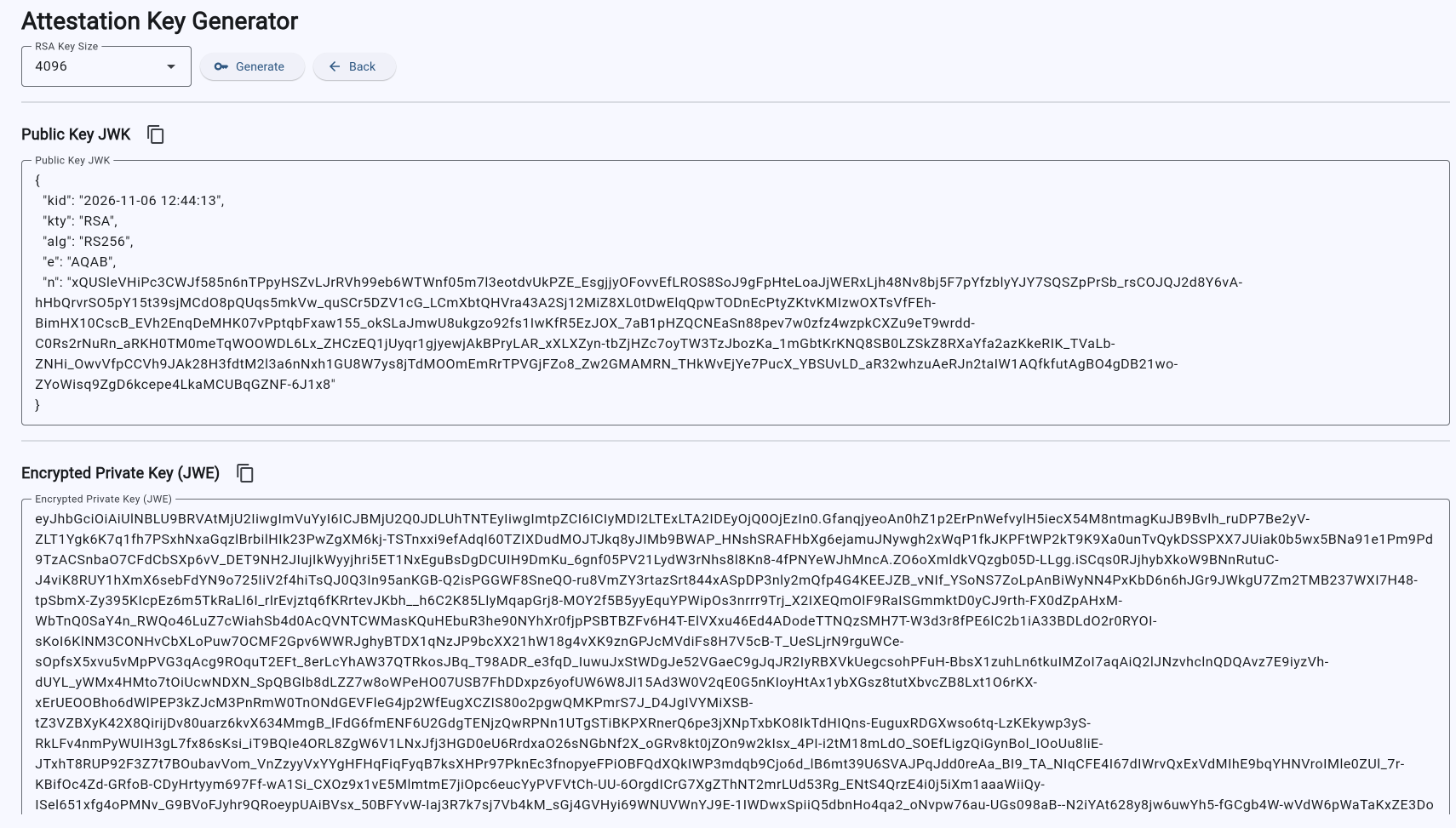
Generate an attestation key
-
Open the Simple Hermod Tool at
https://ext-cod1.test.nexusgroup.com:20490 -
Select Attestation Key Generator.
-
Choose the appropriate key size.
-
Click Generate.
Example:
List profiles for a specific user
-
Open the Simple Hermod Tool at
https://ext-cod1.test.nexusgroup.com:20490 -
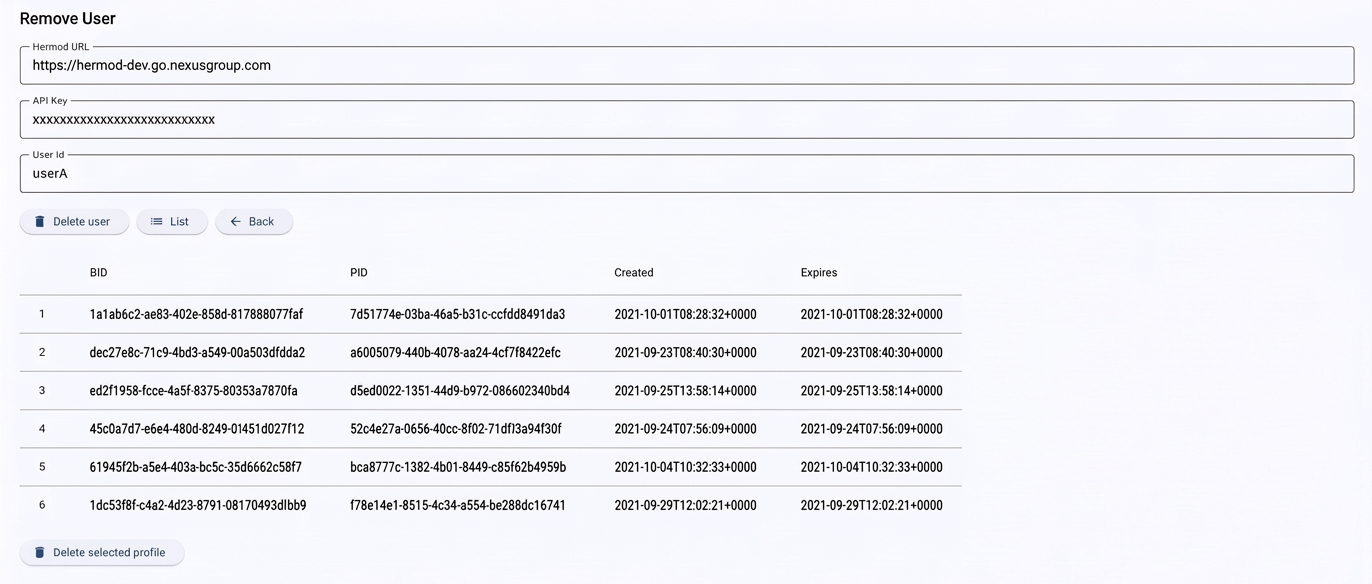
Select Delete User.
-
Enter the Hermod URL, for example:
https://messagingservice.go.nexusgroup.com -
Enter the API key.
-
Enter the user ID.
-
Click List to display all profiles associated with the user.
Delete a profile
Important: Make sure you select the correct profile before deleting it. This action cannot be undone.
-
List the profiles for the user by following the steps in List profiles for a specific user.
-
Select the profile you want to delete from the results table.
-
Click Delete Selected Profile below the table.
-
Wait for the confirmation message that the profile has been successfully deleted.
-
Verify that the profiles table refreshes and no longer displays the deleted profile.
If the deleted profile was the user's last remaining profile, the user is automatically deleted.
Example:
Delete a user
Important: Deleting a user is permanent. Confirm that you have selected the correct user before continuing.
-
Open the Simple Hermod Tool at
https://ext-cod1.test.nexusgroup.com:20490. -
Select Delete User.
-
Enter the Hermod URL.
-
Enter the API key.
-
Enter the user ID.
-
Click Delete User.
-
Wait for the confirmation message that the user has been successfully deleted.