
This article describes a Transaction Signature example for PHP. Runnable source: ../clients/php/. Also see Administration Service setup and Transaction Signatures Integration Guide.
Three files in a web directory. No frameworks, no build step. Just PHP with the curl extension.
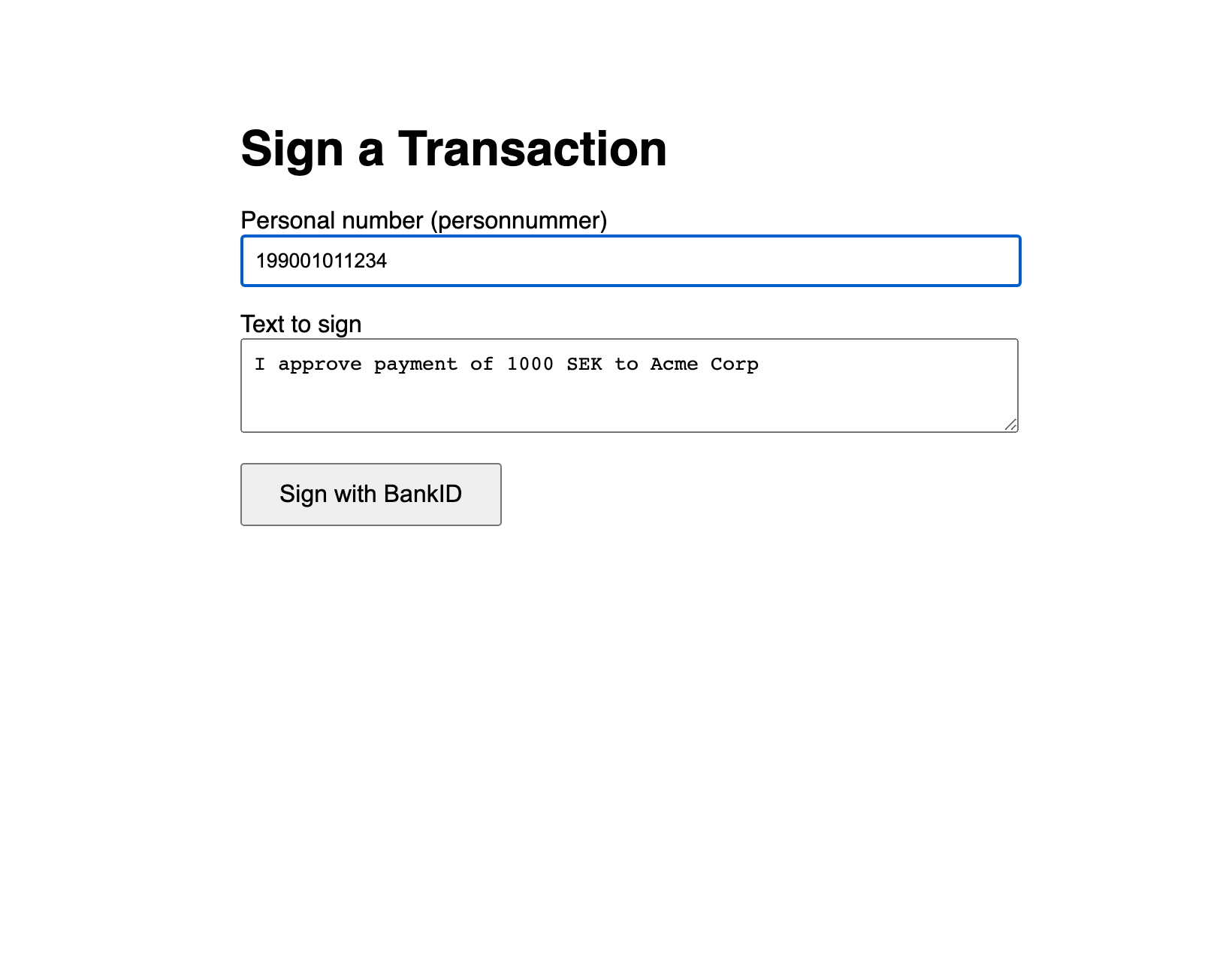
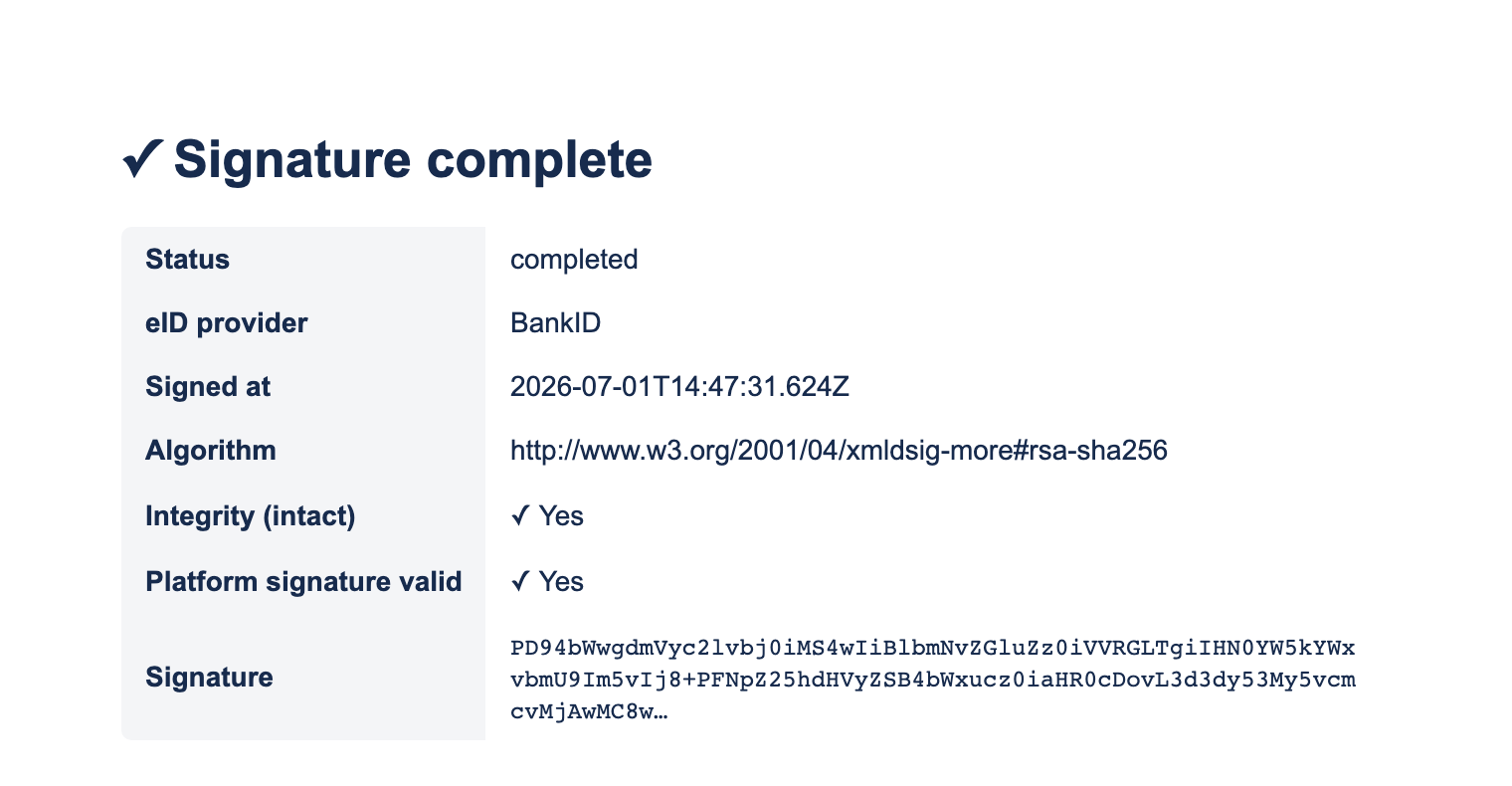
The complete, verified files are in ../clients/php/ (config.php, index.php, sign-done.php).
Files
php/
  config.php       <-- DA credentials + returnUrl (edit this)
  index.php        <-- form + prepare, redirects to signUrl
  sign-done.php    <-- callback: fetch + verify the signature
Setup
-
Copy the three files into a web directory served over HTTPS.
-
Edit
config.php. -
Open
index.php.
config.php:
<?php
return [
    'da_base_url'   => 'https://oidc.lagerberget.se',   // Access Point DNS for Transaction Signatures
    'client_id'     => 'your-client-id',
    'client_secret' => 'your-client-secret',
    'return_url'    => 'https://your-site.example.com/sign-done.php', // HTTPS, registered
];
Key code
Token then prepare (index.php):
$token = http_post($api_base.'/oauth/token', null, [
    'grant_type'=>'client_credentials', 'client_id'=>$config['client_id'],
    'client_secret'=>$config['client_secret'], 'scope'=>'transaction_sign',
], 'form')['data']['access_token'];

$prep = http_post($api_base.'/sign/prepare', $token, [
    'tbsData'   => base64_encode($text),
    'userId'    => $user_id,
    'returnUrl' => $config['return_url'],
], 'json');

header('Location: '.$prep['data']['signUrl']);  // redirect to the DA sign page
Callback: fetch + verify (sign-done.php):
$sig = http_get($api_base.'/sign/signatures/'.$id, $token);
$ver = http_get($api_base.'/sign/verify/'.$id, $token);
// show $sig['status'], $sig['eidProvider'], $sig['createdAt'],
// $sig['signatureAlgorithm'], $ver['intact'], $ver['platformSignatureValid']
Requirements & reminders
-
PHP 7.4+ with the
curlextension; a web server that runs PHP over HTTPS (php -Shas no TLS — put it behind nginx/Apache/Caddy for TLS). -
Publish the OAuth2 client in DA admin;
returnUrlmust be HTTPS, a registered redirect URI, and notlocalhost. -
The user picks Mobilt BankID; the text is shown in the BankID app (SAML SignMessage) and embedded in the signature as
usrVisibleData.